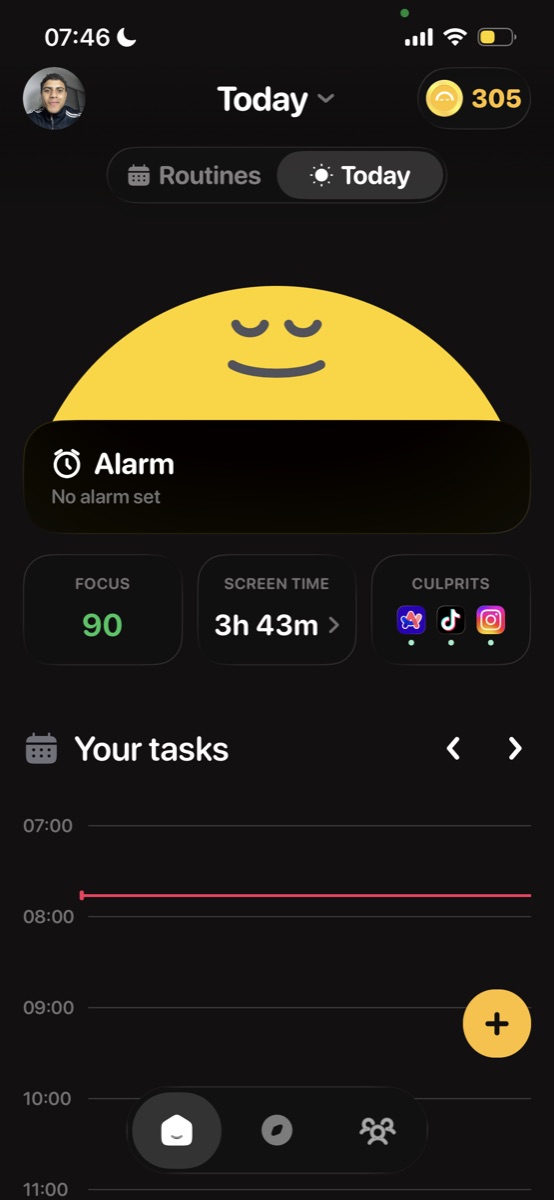
The alarm app you can't fool with a tap of the snooze button.
Thousands of mornings won, and still growing.
become a morning person.
Kairo is your daily companion to wake up on time, every time. Set it once and build the habit that changes your mornings, and your life.

10+ classic tasks to wake you up.
From push-ups to math problems, object hunts to touching grass, choose from a variety of missions that force you to get moving before the alarm stops.

track your progress.
See your monthly recap, track streaks, earn badges, and watch your morning routine transform over time. Kairo makes every wake-up count.

never hit snooze again.
Set your alarm, pick a mission, and let Kairo handle the rest. Every morning starts with a challenge that gets you out of bed, for real.

Frequently asked questions
Kairo is a smart alarm clock app that uses your camera and AI to verify you're actually awake. No more snoozing, prove you're up before the alarm stops.
When your alarm goes off, Kairo asks you to complete a quick camera-based challenge. The AI checks that you're awake, standing, and ready to start your day.
Kairo is currently available on iOS. Download it from the App Store to get started.
A Kairo subscription unlocks premium routines, advanced AI wake-up checks, streak tracking, and more. Free users get access to basic alarm and camera validation features.
Kairo offers a free tier with core features. Premium plans are available as weekly, monthly, or yearly subscriptions, check the app for current pricing.
Yes. Subscriptions auto-renew unless you cancel at least 24 hours before the end of the current billing period. You can manage this in your Apple ID settings.
Open Settings on your iPhone, tap your name, then Subscriptions, find Kairo and tap Cancel Subscription. You'll retain access until the end of the billing period.
Sleep Mode is Kairo's nightly wind-down. It can block your distracting apps on a schedule, play calming soundscapes, and run a sleep timer that fades out on its own, so you fall asleep faster and wake up easier.
No. App blocking is for restricting your own apps, by your own choice. It uses Apple Screen Time, you pick which apps to block and when, and you can turn it off at any time. There is no monitoring of anyone else.
Yes. App blocking runs entirely on your device using Apple Screen Time. Kairo never sees which apps you use and that information never leaves your phone.
A growing library of calming soundscapes, including rain, nature, 432 Hz tones, and sound baths, with more added over time.